1
Find the cuts
rea-video and FFmpeg inspect the timeline for visual changes. Each detected shot has a start, an end and an extracted keyframe.
- Measured in this shot
- 00:00.0–00:00.7
- What to check
- A flash or fast movement can resemble a cut.
A finished video contains clues. Here is how a breakdown
turns those clues into a useful production plan.
 00:00.0
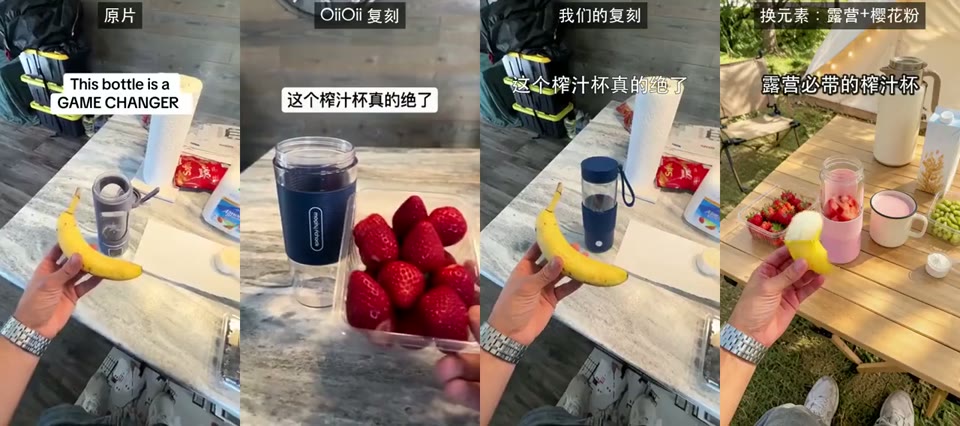
In this example, each version shares a product story. Timing and composition can be compared directly. The original model and exact prompt require a separate interpretation.
Inspect this videorea-video and FFmpeg inspect the timeline for visual changes. Each detected shot has a start, an end and an extracted keyframe.
Frame changes, metadata and audio measurements are kept beside their timestamps. A missing audio track stays visibly absent. Speech or music labels require their own supporting interpretation.
For workspace reports, a multimodal model examines the evidence and suggests what may explain it. Live-action, AI and code-rendered classifications are interpretations with stated uncertainty.
Adapt the framing, duration and movement to your subject. Export a timed CSV or a validated VIDEO.md package. When ad generation opens, confirm three scenes before generating a 15-second vertical video.
See the production handoffThe analysis engine is JuneYaooo/rea-video under Apache-2.0, paired with FFmpeg. This deployment pins revision 126b1a1e9b29. Our website, accounts, storage, orchestration, billing and OpenRouter integrations are independently operated.
The official project's own examples include additional tools and model services. Each gallery case links to its source workflow.